Primal Pursuit Humans vs Dinosaurs Controls Guide
Drive, drift, shoot, and use dinosaur abilities cleanly on PC or mobile before the chase starts.
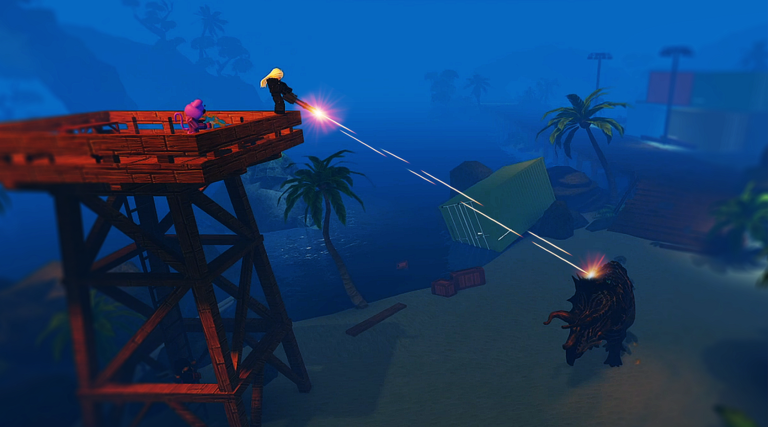
Clean inputs win chases in Primal Pursuit Humans vs Dinosaurs. Whether you are weaving an ATV through Jungle trees or stomping a helipad as a Giga, hesitation and awkward camera work feed free kills. This Controls guide covers PC and mobile basics for driving, shooting, and dinosaur abilities, plus settings tips and a link to the Tools checklist for pre-session prep. New players should combine it with Getting Started and How to Survive.
Universal habits before platform specifics
- Keep movement and camera coupled. Looking one way while driving another is how you hit rocks on Cavern hills.
- Practice exit-shoot-enter in quiet moments. Pad fights demand the full loop under pressure.
- Do not bind critical actions to uncomfortable keys or UI corners. If remounting takes two seconds of fumbling, the dinosaur’s bite arrives first.
- Audio on. Controls include paying attention—footsteps beat any minimap you wish existed.
PC controls — driving
Default Roblox-style movement applies, with Primal Pursuit vehicle nuance:
- Throttle and steer keep you alive more than raw speed stats. Feather turns near cliffs and fortress grades on Canyon.
- Drift (hold Space while turning) is a core PC skill. Even though the free ATV does not drift like a Hot Rod, learning Space-drift early transfers to Humvee, MRAP, and speed cars later. Drift to take corners without braking into a stomp.
- Reverse deliberately. Panic reverse into a wall traps you; reverse into open space to create a shotgun angle, then remount.
- Passenger awareness. ATVs and many cars seat a rear or turret passenger—coordinate who drives and who shoots.
When upgrading vehicles, re-learn braking distances. An MRAP does not juke like a Hot Rod; a Boatmobile changes how you approach docks. Rankings live on the vehicles tier list.
PC controls — shooting
- Exit the vehicle before precision shots when the dinosaur is distracted.
- ADS versus hipfire depends on gun class: spray weapons at close range differ from snipers on Canyon overlooks—see Best Weapons.
- Reload behind cover or inside the car when safe; reloading on a pad while clumped is how stomps wipe squads.
- If you own a Minigun, remember the windup. Start spooling as you exit behind a crate, not after the dinosaur is already sideways to you.
PC controls — dinosaur abilities
When selected as predator:
- Learn your primary attack cadence and the ability key for stomp, smash, charge, or kit-specific tools.
- Do not spam the big ability on cooldown the moment the round starts. Save it for convoy breaks or extraction clumps—detailed in How to Play Dinosaur.
- Camera height on large dinosaurs differs from survivor view; re-center often so you do not lose cars in foliage.
- Practice turning without overshooting on Jungle paths; wide hitboxes clip trees and stall chases.
Mobile controls — driving and combat
Mobile lobbies are common, so treat touch layouts seriously:
- Place the drive stick where your thumb never covers the exit or fire buttons.
- Use a larger camera sensitivity carefully—too high and you cannot track a Raptor; too low and you lose a Giga around corners.
- Tap exit and fire as separate clean actions; sliding across both often fires into the dirt.
- Some players report Minigun windup feeling more lenient on mobile—still build the habit of pre-aiming, because patches can change feel.
- When auto-fire assists exist in your control scheme, disable anything that dumps ammo while you are trying to remount.
Drift equivalents on mobile depend on your jump/drift button placement—mirror the PC Space-drift habit if the game exposes a dedicated control.
Mobile dinosaur play
Large thumbs + large dinosaurs can make precise bites harder. Compensate by:
- Approaching from predictable road funnels instead of messy forest weaves.
- Using abilities on packed pads where precision matters less than timing.
- Closing distance before starting complex camera spins.
Settings tips that improve control
- Graphics — Prefer stable frame rate over maximum foliage. Seeing a car early matters more than ultra shadows on Primal Park.
- Sensitivity — Separate look sens for survivor gunfights versus dinosaur camera if the client allows; otherwise pick a middle ground and warm up each session.
- Volume — Raise effects enough to hear roars and footsteps without clipping UI music.
- UI scale — On mobile, ensure the exit vehicle button is not tiny or overlapping chat.
- Network — High ping turns perfect drifts into wall kisses; avoid stacking ability inputs that arrive late on the server.
After any major client update, retest settings—see Updates and patch notes.
Role-specific control drills
Survivor drill (five minutes)
- Spawn on Jungle.
- Drive a figure-eight while drifting corners.
- Exit, fire ten shots at a rock, reload, remount without looking at the keyboard or UI.
- Repeat until the loop is automatic, then take that muscle memory into real chases and escape pushes.
Dinosaur drill
- Chase a single car without using the ultimate ability.
- Break off, destroy an empty vehicle, then rotate toward a known dock.
- Only then practice a timed stomp on a stationary target prop or empty car pile.
Controls checklist before ranked-feeling lobbies
Work through the Tools checklist and confirm:
- Group 20% bonus active.
- Codes redeemed (codes, how to redeem).
- Best gun and car equipped (loadouts).
- Audio on, sensitivity warmed up.
- You remember Space-drift (PC) or your mobile drift/jump bind.
- You know the current map’s hard pads from Maps.
Common control mistakes
- Holding gas into a Cavern rock garden until the car high-centers.
- Spamming jump instead of steering when a dinosaur closes.
- Forgetting passengers cannot drive—dying while the only driver is on foot.
- Using dinosaur abilities with the camera pointed at the sky.
- Fighting the UI during Double Trouble instead of already having exit-fire binds memorized.
Master the boring inputs and every other guide on the Guides Hub becomes easier to execute. Speed comes after cleanliness—not the other way around.
Frequently Asked Questions
Quick answers to the most common questions.
How do you drift on PC in Primal Pursuit?
Hold Space while turning in a vehicle. Practice on the ATV so the habit transfers to faster cars.
What survivor input loop matters most?
Exit vehicle, shoot a short accurate burst, reload if needed, and remount before the dinosaur connects.
Do mobile players need different settings?
Yes. Reposition drive and fire buttons for clean thumbs, tune camera sensitivity, and keep UI scale large enough to remount under pressure.
When should dinosaurs use their ability key?
Prefer convoy breaks and extraction clumps over random early-round spam—see the dinosaur guide for timing.
Where can I find a pre-game checklist?
Use the Tools page checklist along with this controls warm-up before hopping into serious rounds.